
Vila iPhone public beta
Videos you love.
Words you can use.
Watch YouTube with bilingual subtitles. Save expressions, review and practise speaking with AI.
iOS 17+ · No sign-up form
In WeChat? Tap “…” to open in Safari.
testflight.apple.com/join/h82aRKRb
From understanding to speaking
Take good expressions with you.
- 01
Understand videos
Read bilingual subtitles, listen line by line and look up words.
Bilingual subtitles · Focused listening - 02
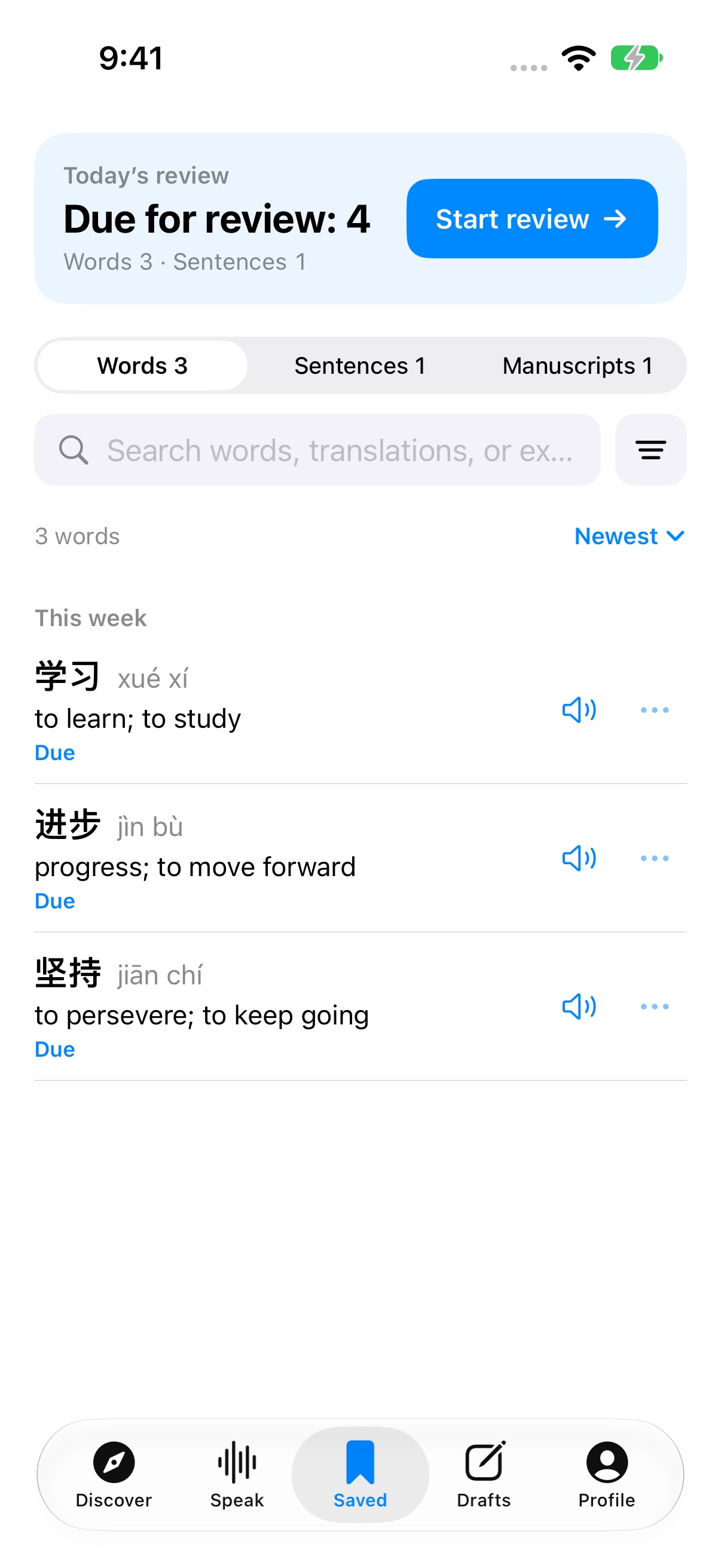
Keep useful expressions
Save words and sentences. Review in context and build your own drafts.
Save & review · AI drafting - 03
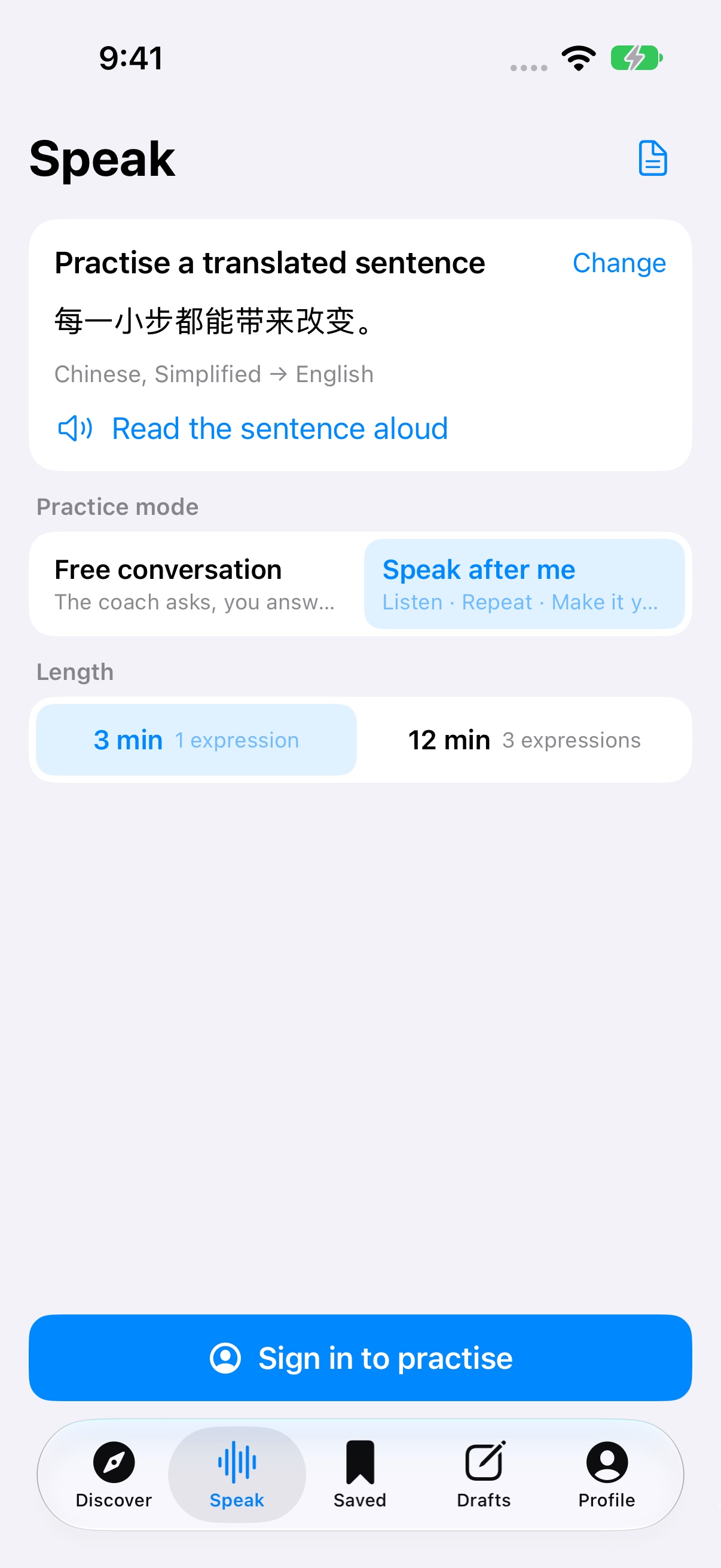
Put words to work
Discuss videos with an AI coach. Repeat and rephrase.
Live conversation · Speaking practice
Translate and review on Apple Watch, too. Explore the Watch app ↗
A simple start
Start in three steps.
iPhone with iOS 17+ and an Apple Account required. Videos and AI need internet; AI also needs sign-in and available V Coins.
- 1
Install Apple TestFlight
Get Apple’s beta testing app from the App Store.
Get TestFlight Opens in a new tab - 2
Open the Vila invitation
Tap the beta button, accept the invitation and install Vila.
Join the TestFlight beta ↗ - 3
Open Vila and explore
Pick a video you like. Report issues through TestFlight.
Before you begin
A few things to know.
Will test subscriptions charge real money?
Test purchases do not charge real money. Test V Coins stay separate and do not carry over to the App Store version. AI usage limits still apply.
Who can join?
You can join through TestFlight on an iPhone running iOS 17 or later. If the beta is full or unavailable, try later or contact vila@allgood.living.
What do I need to play videos?
You need access to YouTube. Videos and subtitles may have regional, account or creator restrictions.
Do I have to fill out a form?
No form is required to install. Use TestFlight feedback or prepare an email below. Do not include passwords or payment details.
Your experience helps shape Vila
We’d love to hear from you.
Feedback is optional and never required to join.
Write feedback (optional)
Help us make Vila better
Make the next line yours.
Start with a video you love.