
I went to seventh graders math in the New York City public schools.
I taught math to seventh graders in New York City public schools.
Sentence actions
 Vila
Vila · iPhone · iPad
Open Vila on your iPhone or iPad and pick a recommended YouTube video or paste a link to one you like. Choose a clip you’ve just watched and talk about it with the AI coach. It asks follow-up questions based on what you say. Afterwards, your report highlights expressions you used well and suggests other ways to get your point across.
iPhone
Open Discover and choose a captioned video, or use your own YouTube link.
Tap teach in the captions, save it in the word sheet, then tap Done.
Open Saved in the bottom bar, start a review, reveal the answer and rate your recall.
Interactive demo · Sample content and prerecorded audio; no microphone
TED · Angela Lee Duckworth

I went to seventh graders math in the New York City public schools.
I taught math to seventh graders in New York City public schools.
And like any teacher, I made quizzes and tests.
All languages · Newest first
Tap teach in the captions, then save the word.
New words today
Recall where you first met it
Built-in dictionary · English
/tiːtʃ/
Vocabulary level · Beginner
v. to help someone learn
I went to teach seventh graders math in the New York City public schools.
Understand with bilingual captions, replay sentences, look up and save words, then review them in context.
Subtitles →Practise video topics or saved expressions with an AI coach, with prompts and feedback after your session.
Speaking →Build a draft from saved sentences and your own ideas, with AI help to generate and polish it.
Drafts →Screens from the current iPhone app. The iPad version has the same features.
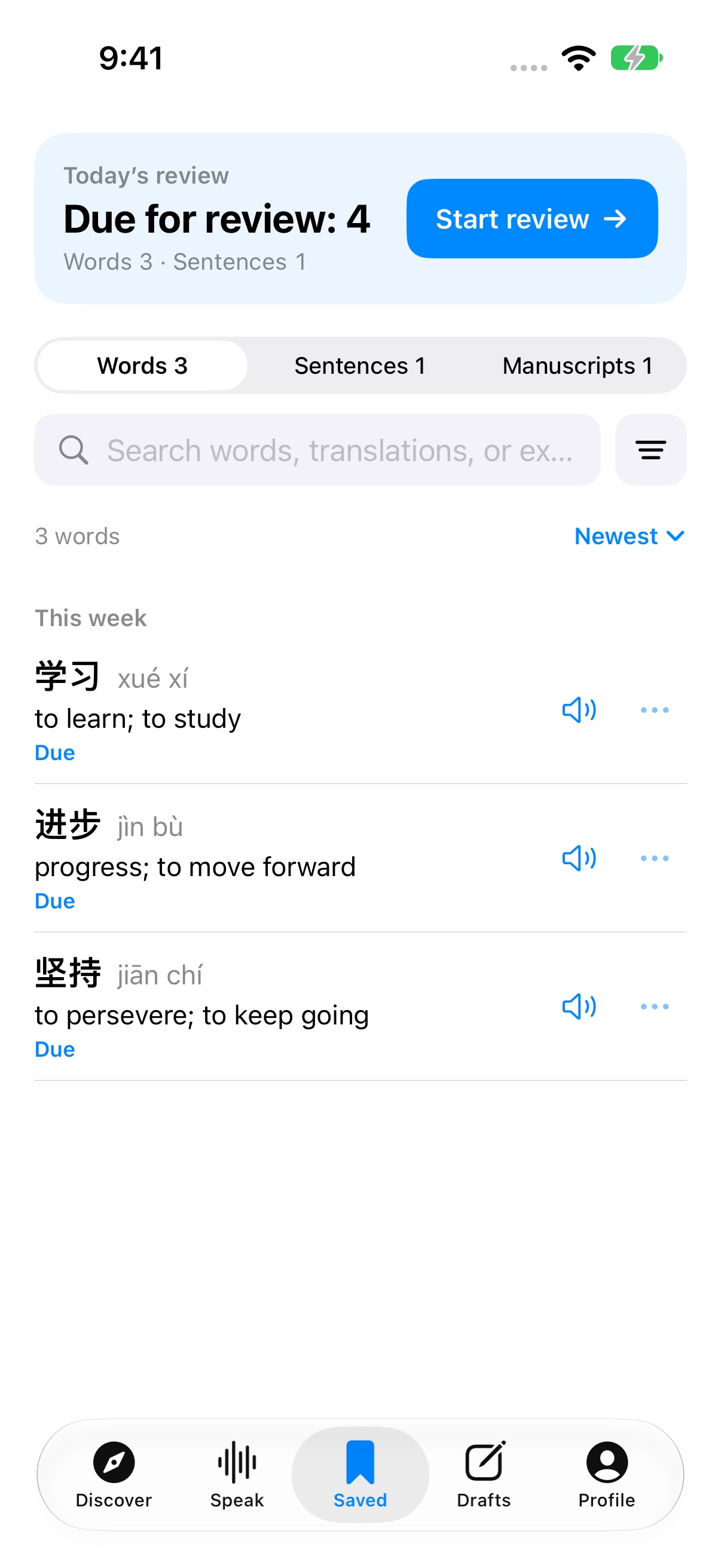
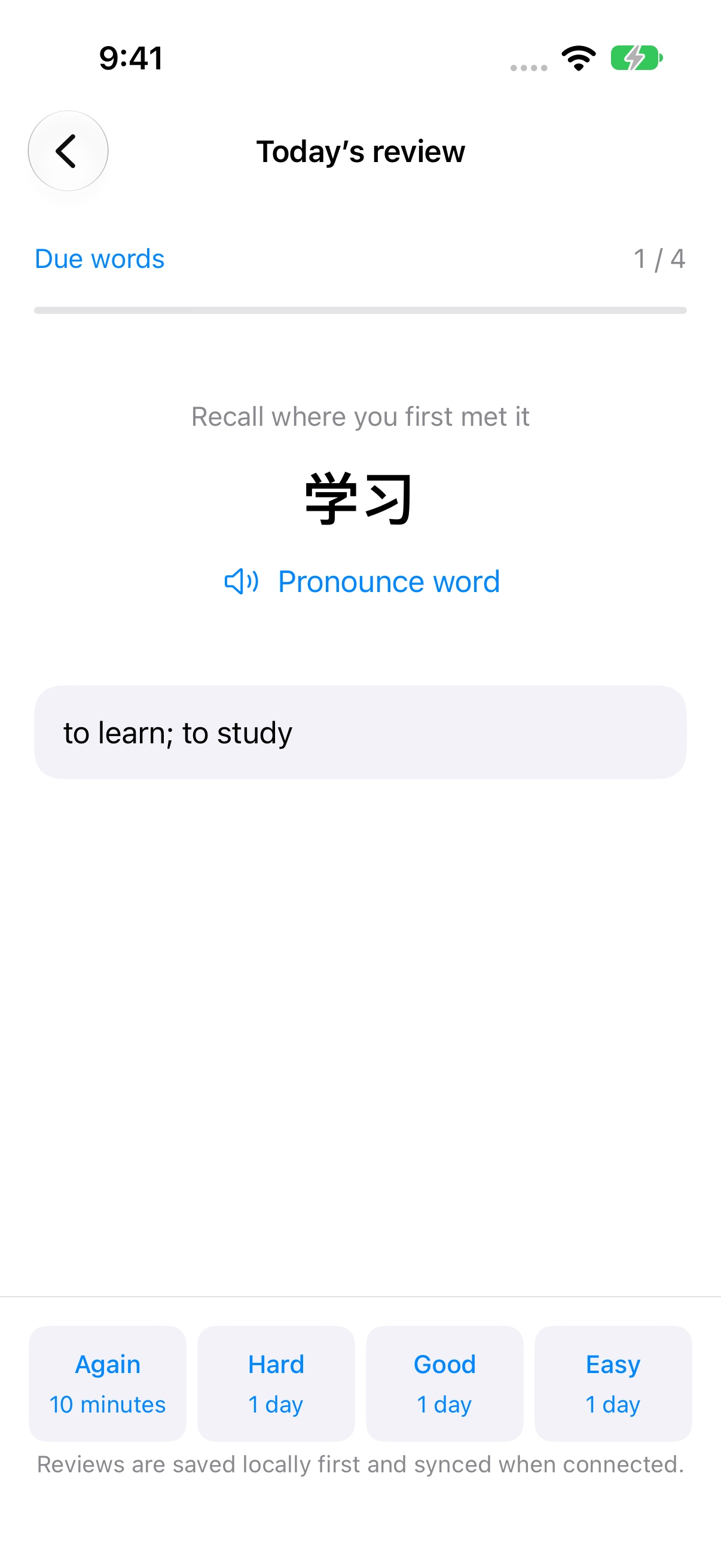
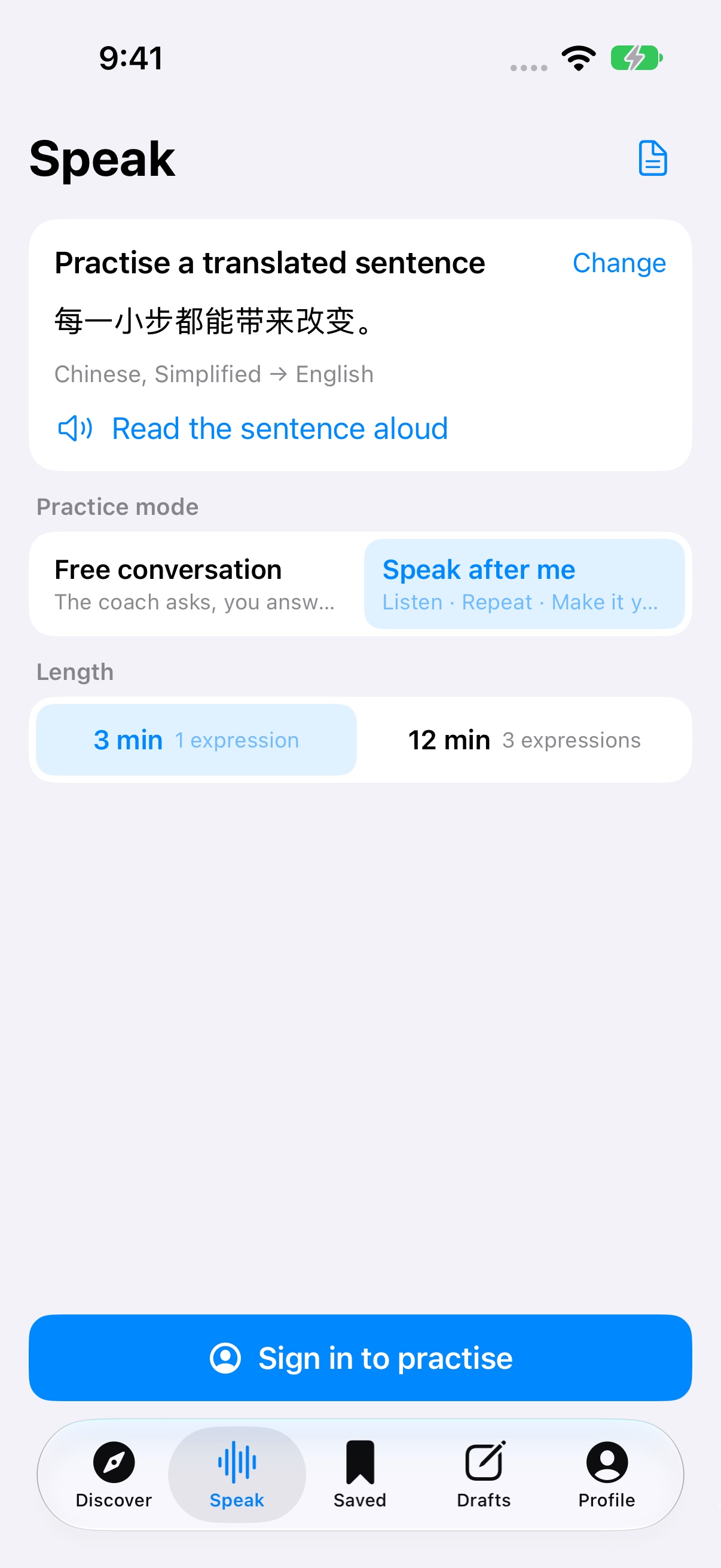
| iPhone and iPad app | Chrome extension | |
|---|---|---|
| Video learning | Recommended videos in Discover or your own YouTube link, with bilingual captions, sentence replay, lookup and saving. | On YouTube in desktop Chrome, with bilingual captions, sentence-end pauses, looping, lookup and saving. |
| AI speaking | Live lessons with an AI coach about a video or saved sentence, with the same modes and lengths, and feedback afterwards. | Live lessons with an AI coach about a video or saved sentence, with the same modes and lengths, and feedback afterwards. |
| Saved items and review | Saved words and sentences with review; they sync between devices when account sync is on. | Saved words and sentences with review; they sync between devices when account sync is on. |
| Apple Watch | Includes the Watch app for two-way translation and review. | Not available. |
| Get it | Free on the App Store. iOS 17 or iPadOS 17 or later. | Free on the Chrome Web Store. Chrome 116 or later. |
One account and one V Coin balance work in both. Drafts, settings and playback progress stay on each device.
Vila
The interface supports Chinese, English, French and Korean. Choose any two different languages on Watch for automatic two-way translation.
iPhone requires iOS 17 or later, and iPad requires iPadOS 17 or later. Video and AI features need an internet connection. Speaking practice requires microphone permission and available V Coins.
The App Store version is free to download. Availability depends on your Apple Account country or region.
Yes. Both iPhone and Chrome offer live conversations with an AI coach about a video, followed by feedback on your expression.
AI speaking practice →Saved words, sentences, sources and review records can sync. Drafts, settings and playback progress stay on each device.
Yes. The same app runs on iPad with iPadOS 17 or later.
Downloading the app, captions, lookup, saving and review are free. AI speaking lessons and text analysis use V Coins, which you can buy in the app.
View pricing and V Coins →That is the App Store name of the same Vila app described on this page.
Useful lines from videos and phrases you need in life deserve another practice.
Get Vila →